Beyond Colorization: Bringing Your 1940s Ancestors to Life with AI
TL;DR: Restore 1940s-era photos in four steps with Nostalgia AI: digitize, remove heavy scratches, apply era-accurate colorization, and sharpen — turning a faded artifact into a vivid family heirloom.
The 1940s had a distinct photographic style—sharp, romantic, and full of character. But these prints are often plagued by heavy scratches, fading, and the limitations of black-and-white film. Modern AI can peel back the layers of time and reveal the vibrant people within.
Here’s how to restore a 1940s-era photo with Nostalgia AI:
- Step 1: Digitize the Photo: Start with a high-resolution scan of your original photograph.
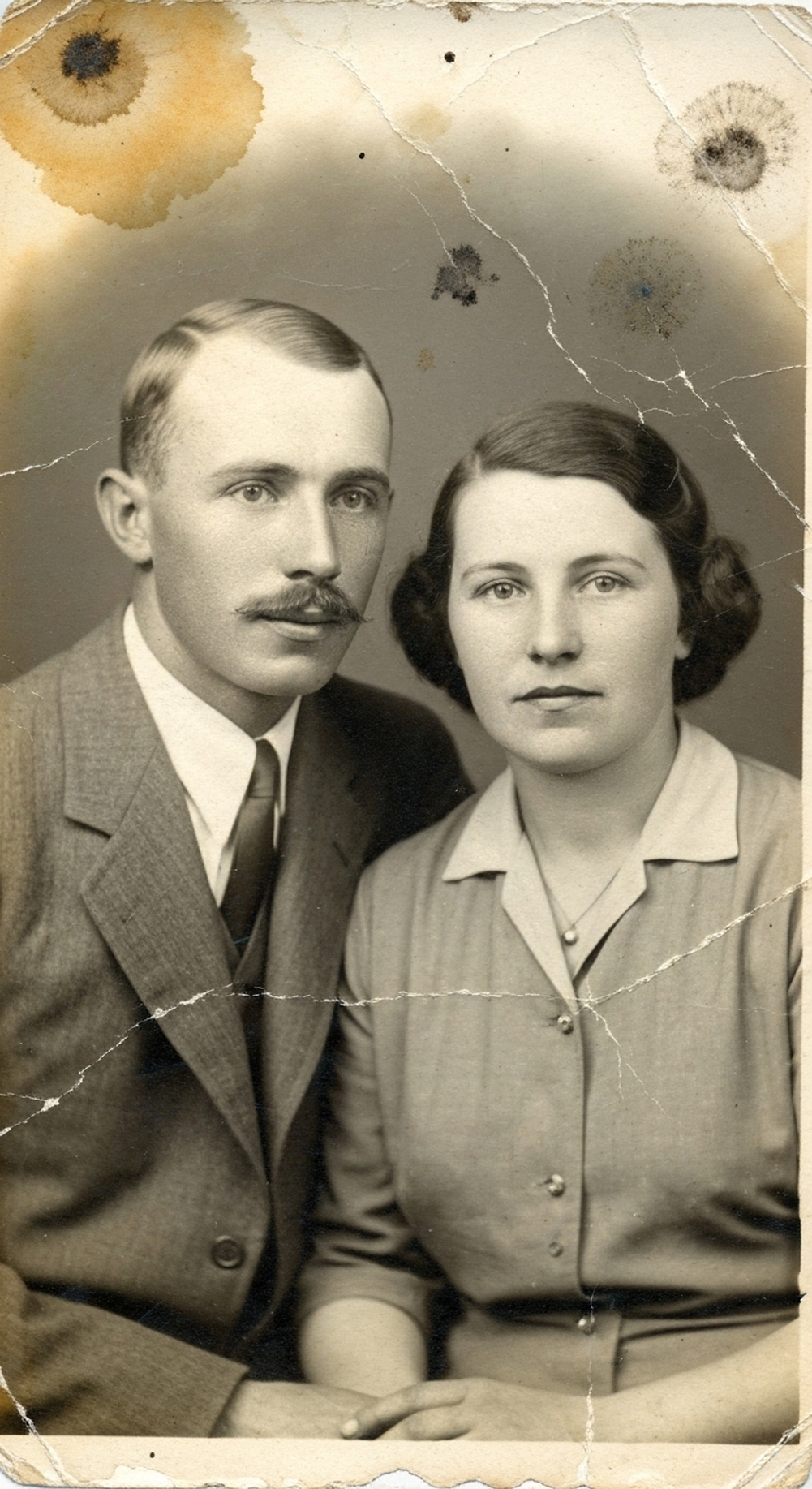
- Step 2: Remove Heavy Scratches: Use the "Scratch Removal" tool. The AI intelligently identifies and reconstructs the damaged areas, preserving the original textures of clothing and backgrounds.
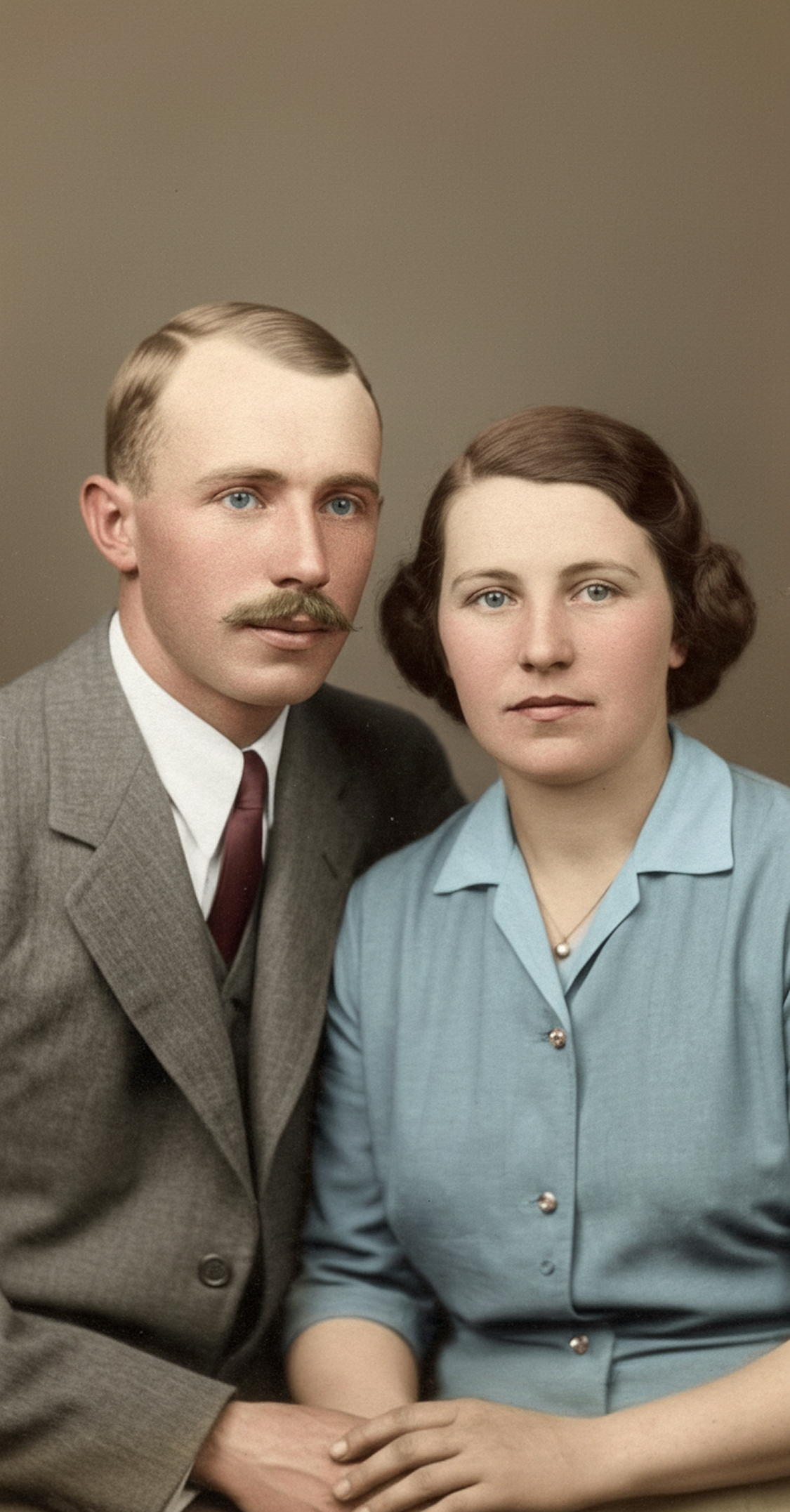
- Step 3: Apply High-Fidelity Colorization: Tap "Colorize." Nostalgia AI’s engine is trained on historical data to apply colors true to the era—from the subtle tones in fabrics to the authentic shades of a 1940s lipstick.
- Step 4: Enhance and Sharpen: Finally, use the "Enhance" feature to improve facial clarity and overall sharpness, making the photo look like it was captured with a modern camera.
The result is a restored image that is not only colorful but also rich in detail and historical accuracy, transforming a faded artifact into a vivid family heirloom.
Before
After Nostalgia AI
Ready to bring your own memories to life?